New Sections in Company Profile Reservation History
Stay is enhanced to categorize reservations associated with a company profile based on stay dates (current, future, and past) in the Reservation History section of company profiles. To support this, the following new sub-sections have been added to the Reservation History section:
-
Current
-
Future
-
Past
Each section displays the total number of reservations within that category.
Current Section
This section displays the total number of current reservations at the property associated with the company profile. This includes reservations where the current property date falls within the stay dates.
A property-level filter has been added to this section that allows users to select from the multiple properties available. The reservations are retrieved for the selected properties.
A search field has been added that allows users to search reservations using:
-
Confirmation ID
-
Guest profile name
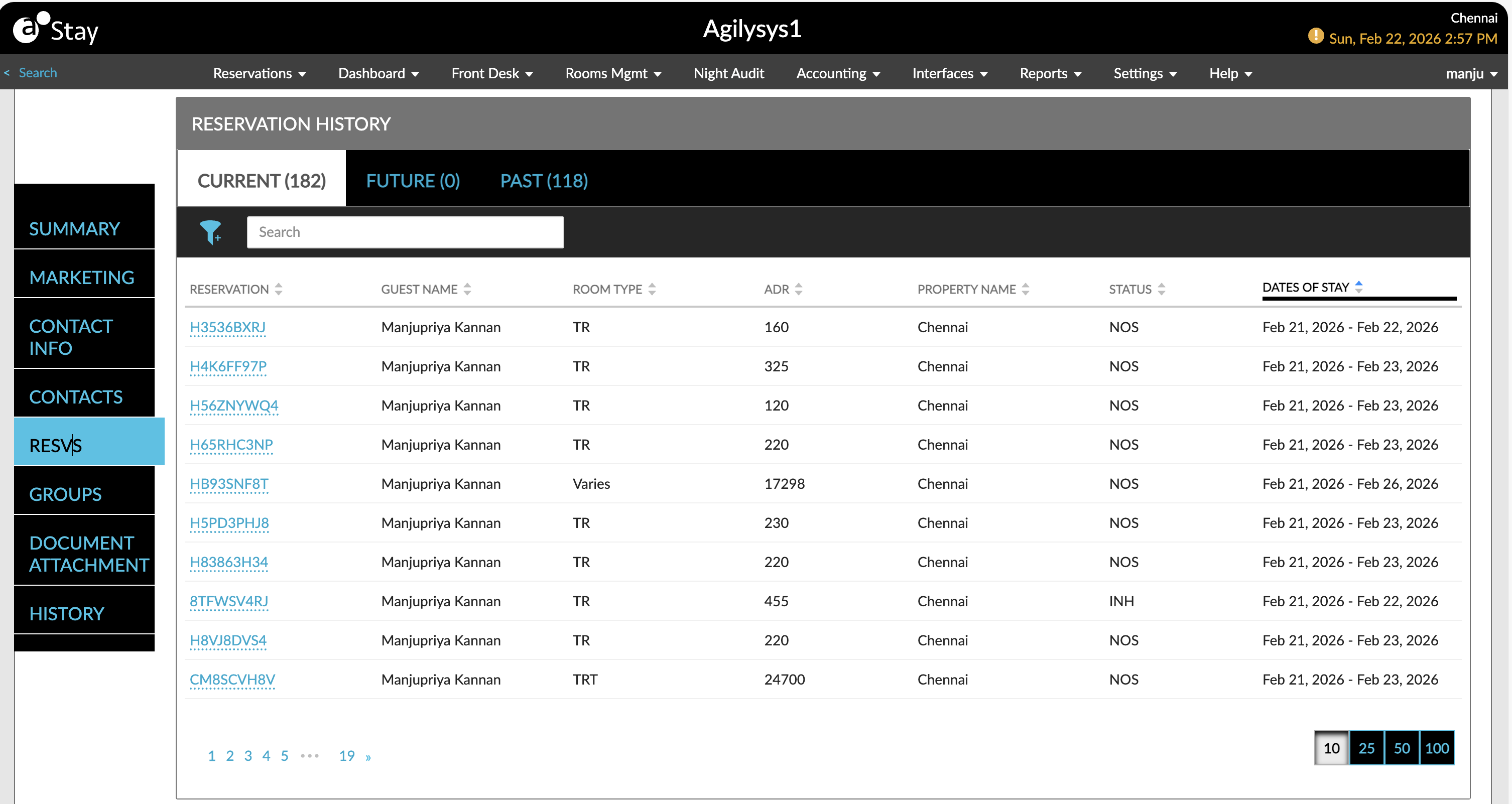
The following columns are displayed in this section:
|
Field |
Description |
|---|---|
|
Reservation |
The confirmation ID of the reservation is displayed as a hyperlink. When clicked, users will be navigated to the resepective reservation. |
|
Guest Name |
The guest name associated with the reservation. This column can be sorted. |
|
Room Type |
The room type associated with the reservation. When multiple room types exist under a reservation, Varies, is displayed. This column can be sorted. |
|
ADR |
The average daily rate. This column can be sorted. |
|
Property Name |
The property in which the reservation is created. This column can be sorted. |
|
Status |
The reservation status. This column can be sorted. |
|
Dates of Stay |
The stay dates of the reservation. This column can be sorted. |
Future Section
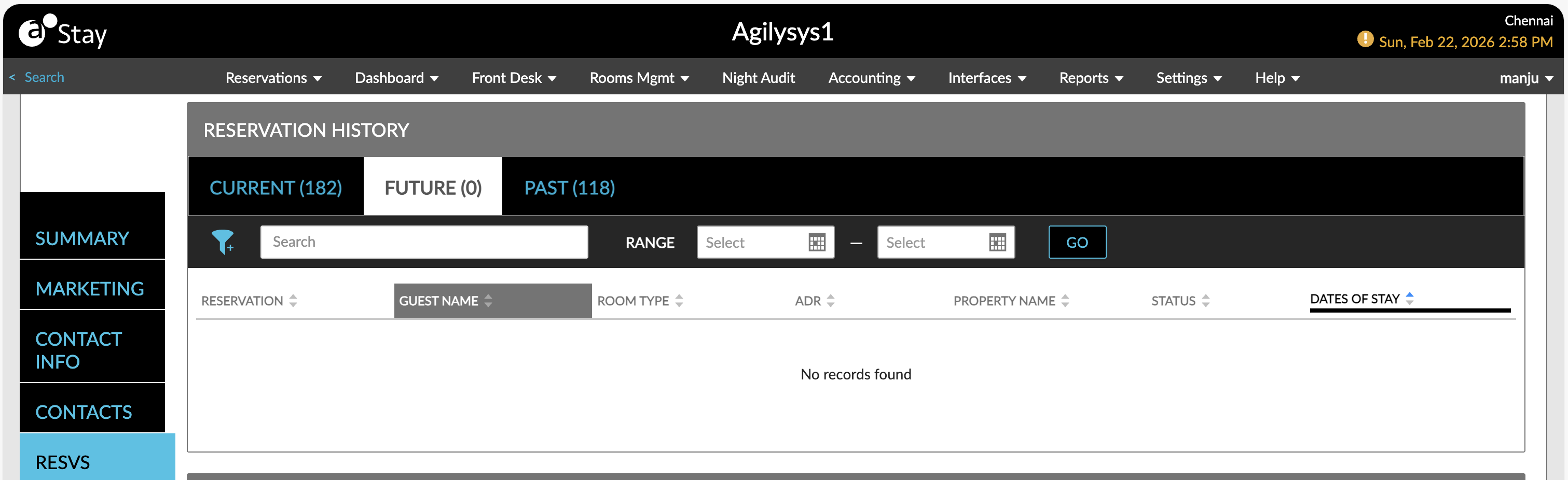
This section displays the total number of future reservations at the property associated with the company profile. This includes reservations with arrival dates beyond the current property date.
A property-level filter has been added to this section that allows users to select from the multiple properties available. The reservations are retrieved for the selected properties.
A search field has been added that allows users to search reservations using:
-
Confirmation ID
-
Guest profile name
A date filter, Range, has been added that allows users to select the date range for retrieving the reservations. Users can select the future dates for which the reservations must be retrieved. Past dates cannot be selected.
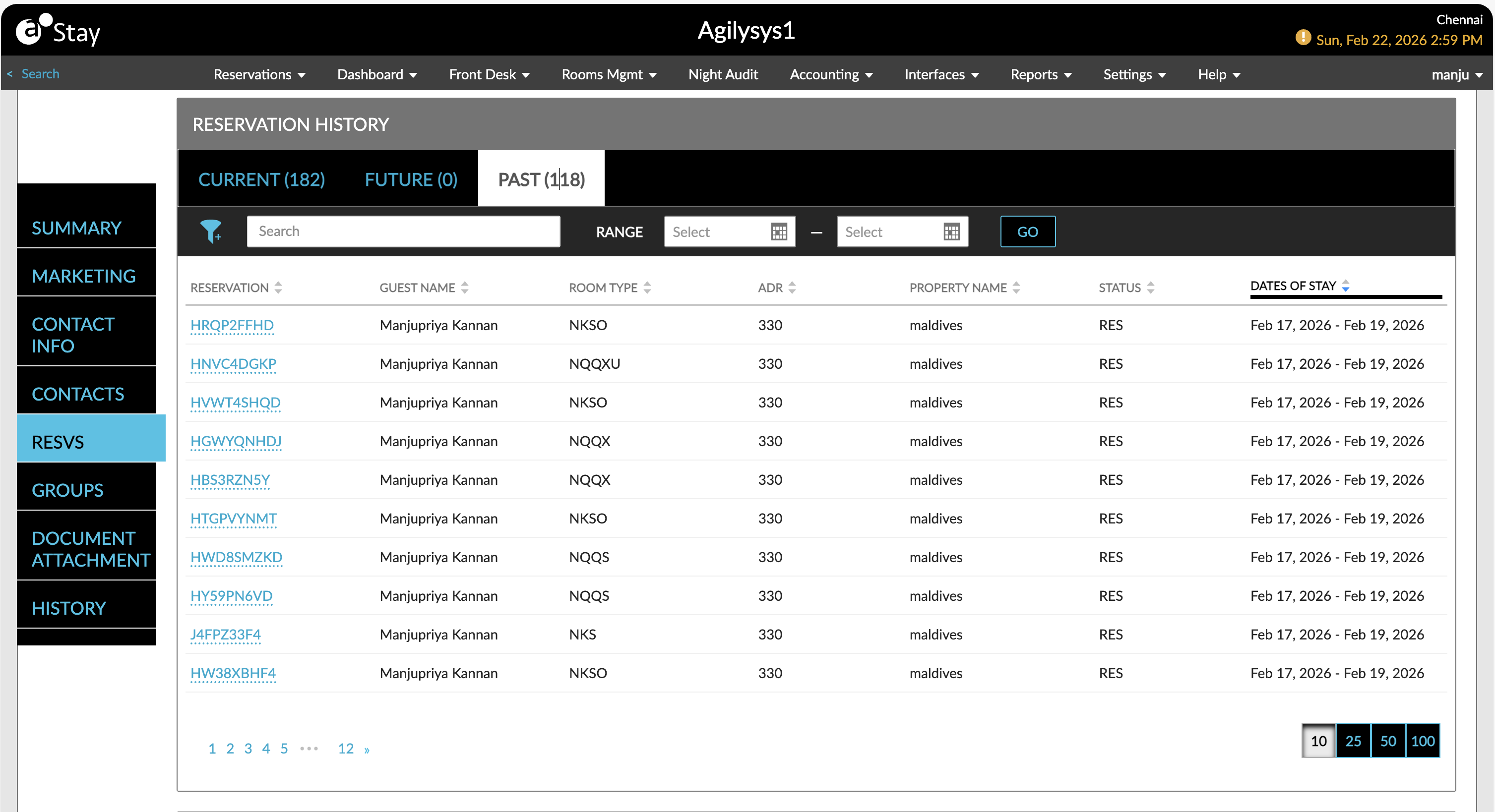
Past Section
This section displays the total number of past reservations at the property associated with the company profile. This includes reservations with departure dates before the current property date.
A property-level filter has been added to this section that allows users to select from the multiple properties available. The reservations are retrieved for the selected properties.
A search field has been added that allows users to search reservations using:
-
Confirmation ID
-
Guest profile name
A date filter, Range, has been added that allows users to select the date range for retrieving the reservations. Users can select the past dates for which the reservations must be retrieved. Future dates cannot be selected.